Kubernetes
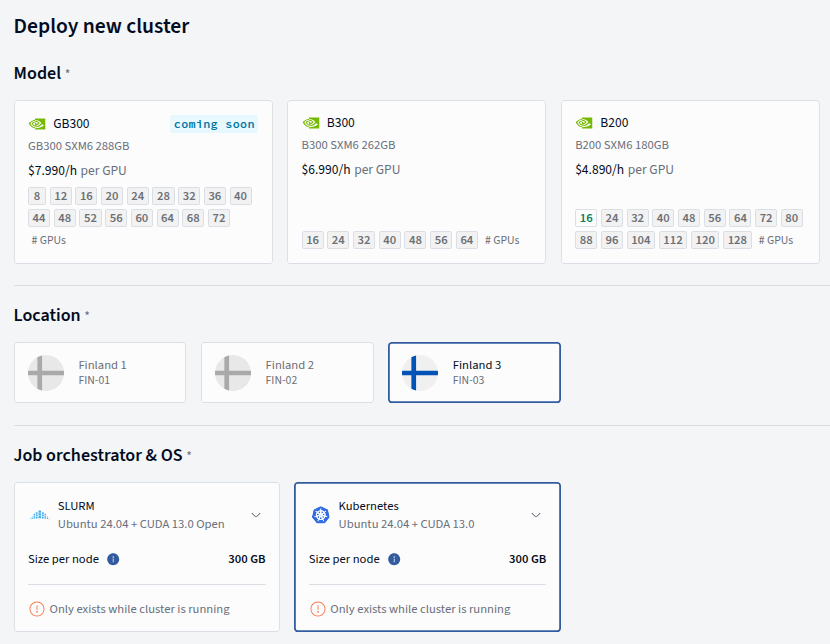
Choosing the Kubernetes job orchestrator provisions the Instant Cluster with Kubernetes, ready to run multi-node GPU workloads over InfiniBand — no additional setup required.
Info
The Kubernetes orchestrator is still being developed to reach feature parity with the native Slurm one.
What's Included
The following components are pre-installed via Helm and ready to use:
| Component | Purpose | Details |
|---|---|---|
| MPI Operator | Distributed multi-node job orchestration | Provides the MPIJob custom resource for running distributed workloads across nodes |
| NVIDIA Device Plugin | GPU scheduling | Exposes GPUs as schedulable resources (nvidia.com/gpu) so Kubernetes can assign them to pods |
| NVIDIA Network Operator | InfiniBand / RDMA networking | Configures high-speed InfiniBand networking for GPU-to-GPU communication across nodes |
| Cilium | Pod networking (CNI) | Handles standard Ethernet-based pod-to-pod and pod-to-service communication |
| Local Disk StorageClass | Node-local NVMe storage | Each worker node's /mnt/local_disk is available as a Kubernetes StorageClass for scratch data, model caches, and checkpoints |
Key Concepts
MPIJob (MPI Operator)
An MPIJob is a Kubernetes custom resource provided by the MPI Operator. It is the primary way to run distributed multi-node workloads on the cluster.
When you submit an MPIJob, the operator creates:
- A launcher pod that coordinates the job (similar to
mpirun) - One or more worker pods that perform the actual computation
The operator handles SSH key distribution and network setup between pods automatically. You define your container image, GPU resource requests, and the command to run — the operator takes care of the rest.
MPI Operator API versions: v1 vs v2beta1
The MPI Operator supports two API versions. Your cluster uses v2beta1, which is the recommended version.
kubeflow.org/v1 |
kubeflow.org/v2beta1 |
|
|---|---|---|
| Worker connectivity | kubectl exec (requires API server access) |
SSH (direct pod-to-pod) |
| Image requirement | No sshd needed |
Must include sshd |
| Launcher networking | Goes through Kubernetes API server | Direct SSH to workers — lower latency |
| Hostfile | Managed via ConfigMap | Written to /etc/mpi/hostfile |
| Status | Stable but older | Actively developed, recommended for new clusters |
Info
All examples in this documentation use apiVersion: kubeflow.org/v2beta1. If you see v1 examples from external sources, the main difference to be aware of is the sshd requirement — v2beta1 workers must have an SSH server in the container image.
Use MPIJobs for:
- NCCL communication tests (e.g.
all_reduce_perf) - Distributed PyTorch training with
torchrun - Any workload that needs to run across multiple nodes with GPU-to-GPU communication
Here is a complete example that runs an NCCL all_reduce_perf benchmark across 2 nodes with 8 GPUs each:
apiVersion: kubeflow.org/v2beta1
kind: MPIJob
metadata:
  generateName: nccl-test-2n-
spec:
  slotsPerWorker: 8
  runPolicy:
    cleanPodPolicy: Running
  mpiReplicaSpecs:
    Launcher:
      replicas: 1
      template:
        spec:
          containers:
            - name: launcher
              image: vccr.io/nccl-tests/nccl-tests:cuda13.1.1-nccl2.29.3-1-v2.17.9
              env:
                - name: OMPI_ALLOW_RUN_AS_ROOT
                  value: "1"
                - name: OMPI_ALLOW_RUN_AS_ROOT_CONFIRM
                  value: "1"
              command: ["/bin/bash", "-c"]
              args:
                - |
                  echo "=== NCCL 16-GPU Test (2 nodes) ==="

                  # Wait for MPI hostfile
                  echo "Waiting for MPI hostfile..."
                  while [ ! -f /etc/mpi/hostfile ] || [ ! -s /etc/mpi/hostfile ]; do
                    sleep 2
                  done
                  echo "Hostfile:"
                  cat /etc/mpi/hostfile

                  # Wait for workers to be reachable via SSH
                  echo "Waiting for workers..."
                  for worker in $(awk '{print $1}' /etc/mpi/hostfile); do
                    retries=0
                    until ssh -o ConnectTimeout=2 "$worker" hostname >/dev/null 2>&1; do
                      retries=$((retries + 1))
                      if [ "$retries" -ge 60 ]; then
                        echo "TIMEOUT: $worker not reachable after 5 minutes"
                        exit 1
                      fi
                      echo "  Waiting for $worker... (attempt $retries)"
                      sleep 5
                    done
                    echo "  $worker ready"
                  done
                  echo "All workers ready"

                  echo ""
                  echo "=========================================="
                  echo "Running: all_reduce_perf"
                  echo "=========================================="
                  mpirun \
                    -np 16 \
                    -bind-to none \
                    -x NCCL_IB_PKEY=1 \
                    /opt/nccl-tests/build/all_reduce_perf -b 512M -e 8G -f 2 -g 1

                  echo ""
                  echo "=== NCCL test completed ==="
              resources:
                requests:
                  cpu: 2
                  memory: 256Mi
    Worker:
      replicas: 2
      template:
        metadata:
          labels:
            app: nccl-test
        spec:
          containers:
            - name: worker
              image: vccr.io/nccl-tests/nccl-tests:cuda13.1.1-nccl2.29.3-1-v2.17.9
              securityContext:
                capabilities:
                  add:
                    - IPC_LOCK
              resources:
                requests:
                  cpu: 32
                  memory: 128Gi
                  nvidia.com/gpu: 8
                  rdma/rdma_shared_device_a: 1
                limits:
                  nvidia.com/gpu: 8
                  rdma/rdma_shared_device_a: 1
              volumeMounts:
                - mountPath: /dev/shm
                  name: dshm
          affinity:
            podAntiAffinity:
              requiredDuringSchedulingIgnoredDuringExecution:
                - labelSelector:
                    matchLabels:
                      app: nccl-test
                  topologyKey: kubernetes.io/hostname
          volumes:
            - name: dshm
              emptyDir:
                medium: Memory
                sizeLimit: 64Gi
Key details in this manifest:
generateNameinstead ofname— eachkubectl creategenerates a unique job namerdma/rdma_shared_device_a— requests RDMA device access for InfiniBand communicationIPC_LOCKcapability — required for RDMA memory registration/dev/shm— large shared memory volume for NCCL inter-process communicationpodAntiAffinity— ensures workers are scheduled on different physical nodessshdrequirement — the MPI Operator uses SSH to launch processes on workers, so your container image must include an SSH server
Warning
Your container image must include /usr/sbin/sshd. Standard NGC images (e.g. nvcr.io/nvidia/pytorch:...) do not ship with an SSH server and will fail with StartError when used in an MPIJob. Either build a custom image with sshd installed, or use PyTorchJob instead (see below).
InfiniBand and NCCL Configuration
The cluster uses InfiniBand for high-speed GPU-to-GPU communication across nodes via NCCL (NVIDIA Collective Communications Library). For NCCL to work correctly over InfiniBand, you must set the following environment variable in your job containers:
| Environment Variable | Value | Purpose |
|---|---|---|
NCCL_IB_PKEY |
1 |
Required. Tells NCCL which InfiniBand Partition Key to use. Without this, cross-node GPU communication will fail. |
NCCL_IB_HCA |
^mlx5_0 |
Recommended. Excludes the management InfiniBand port so NCCL only uses the data ports. |
NCCL_DEBUG |
INFO |
Optional. Enables verbose NCCL logging, useful for troubleshooting communication issues. |
Storage
Each worker node has fast NVMe storage mounted at /mnt/local_disk, which is exposed as a Kubernetes StorageClass. This is ideal for:
- Model weight caches — avoid re-downloading large models on every job
- Training checkpoints — fast local writes during training
- Scratch data — temporary files during computation
For data that needs to be shared across nodes (datasets, final model outputs), use a Persistent Volume Claim backed by the Shared Filesystem (SFS).
Getting Started
Accessing the Cluster
SSH into the jumphost and use kubectl. Admin credentials are pre-configured at:
k9s is also available out of the box. Verify access with:
You should see your worker nodes in Ready status.
Running Your First Job: NCCL all_reduce Test
A pre-configured example job is available on the jumphost. This runs an NCCL all_reduce_perf benchmark across 2 nodes — it's the standard way to verify that your cluster's InfiniBand networking is healthy and performing as expected. It sets the crucial NCCL_IB_PKEY=1 environment variable so the nodes know which InfiniBand P_Key to use.
Submit the job:
Check pod status:
Downloading the container image on all workers may take a few minutes on first run.
View the results:
  4294967296    1073741824     float     sum      -1  9230.25  465.31  872.46       0  9221.35  465.76  873.31       0
  8589934592    2147483648     float     sum      -1  18376.5  467.44  876.45       0  18337.6  468.43  878.31       0
# Out of bounds values : 0 OK
# Avg bus bandwidth    : 827.441
#
# Collective test concluded: all_reduce_perf
#

=== NCCL test completed ===
Understanding the output:
The key metric is Avg bus bandwidth. This measures how fast GPUs can collectively communicate across the InfiniBand fabric. For a healthy cluster with 400 Gb/s InfiniBand links, you should expect bus bandwidth in the range of 800+ GB/s for large message sizes. If this number is significantly lower, it may indicate a network issue (bad cable, misconfigured IB port, or wrong P_Key).
Monitoring Jobs
Use standard kubectl commands to monitor your workloads:
# List all pods and their status
kubectl get pods

# Follow logs from a specific pod
kubectl logs -f <pod-name>

# Describe a pod for detailed status and events
kubectl describe pod <pod-name>

# List all MPIJobs
kubectl get mpijobs
For cluster-level monitoring, Grafana dashboards are pre-configured with GPU and node metrics. See Monitoring for details on accessing the dashboards.
Container Registry
When running jobs on Kubernetes, your container images need to be pulled from a registry. It is recommended to use authenticated access when pulling images.
Verda provides a managed container registry — see Container Registries for setup instructions.
For quick experimentation, public images from NVIDIA NGC (nvcr.io/nvidia/...) and Docker Hub can also be used.
Optional: Installing the Kubeflow Training Operator
The cluster ships with the MPI Operator (for MPIJob). If you want a higher-level abstraction for distributed training — such as PyTorchJob, which automatically injects environment variables like MASTER_ADDR, WORLD_SIZE, and RANK — you can install the Kubeflow Training Operator yourself:
kubectl apply --server-side -k "github.com/kubeflow/training-operator.git/manifests/overlays/standalone?ref=v1.8.1"
Verify the installation:
You should see pytorchjobs.kubeflow.org alongside the existing mpijobs.kubeflow.org.
When to use MPIJob vs PyTorchJob
| MPIJob | PyTorchJob | |
|---|---|---|
| Pre-installed | Yes | No (install Training Operator first) |
| Communication | MPI (mpirun launches processes via SSH) | PyTorch Distributed (torchrun / elastic) |
| Image requirement | Must include sshd |
No sshd needed — standard NGC images work |
| Env vars | Manual (NCCL_IB_PKEY, etc.) |
Auto-injected (MASTER_ADDR, RANK, WORLD_SIZE) |
| Best for | NCCL tests, MPI-native workloads | PyTorch training scripts using torch.distributed |