# Batch Jobs
## What are batch jobs?
Batch jobs deployments are autoscaling containers feature that is targeted towards long-running jobs, ensuring a unique replica for each job and better resource management.
## Why use batch jobs instead of continuous deployments?
With long inference duration (>3 min), it becomes difficult to properly downscale a deployment:
* We either need to set a high-enough `Scale-down delay` value to make sure the inference call has finished, which can leave a long idle time for the replica, wasting resource and funds.
* Too low `Scale-down delay` value can result in scaling down a replica while the inference is still running.
With batch job deployments we ensure each job get its own replica which is destroyed as soon as the job is finished.
An app handling batch jobs must provide a process exit functionality to signal the job is done, and that the replica can be destroyed.
## Usage and Examples
Batch jobs deployments are similar to continuous deployments, with a few important differences:
* The containerized app running in a replica **must exit the process** (with exit code 0 for success, non-zero code for failure) in order to signal the work hard ended, resulting in scaling down of the replica.
* Unlike continuous deployments, calls to a batch job deployment [are always async](https://docs.datacrunch.io/containers/synchronous-and-asynchronous-inference).
* A job has a `deadline` duration, after which the replica will be destroyed regardless of the job status.
#### Let's create an example batch job deployment using an [example python app](https://github.com/verda-cloud/batch-jobs-example) which simulates a long-running job and success or fail scenarios.
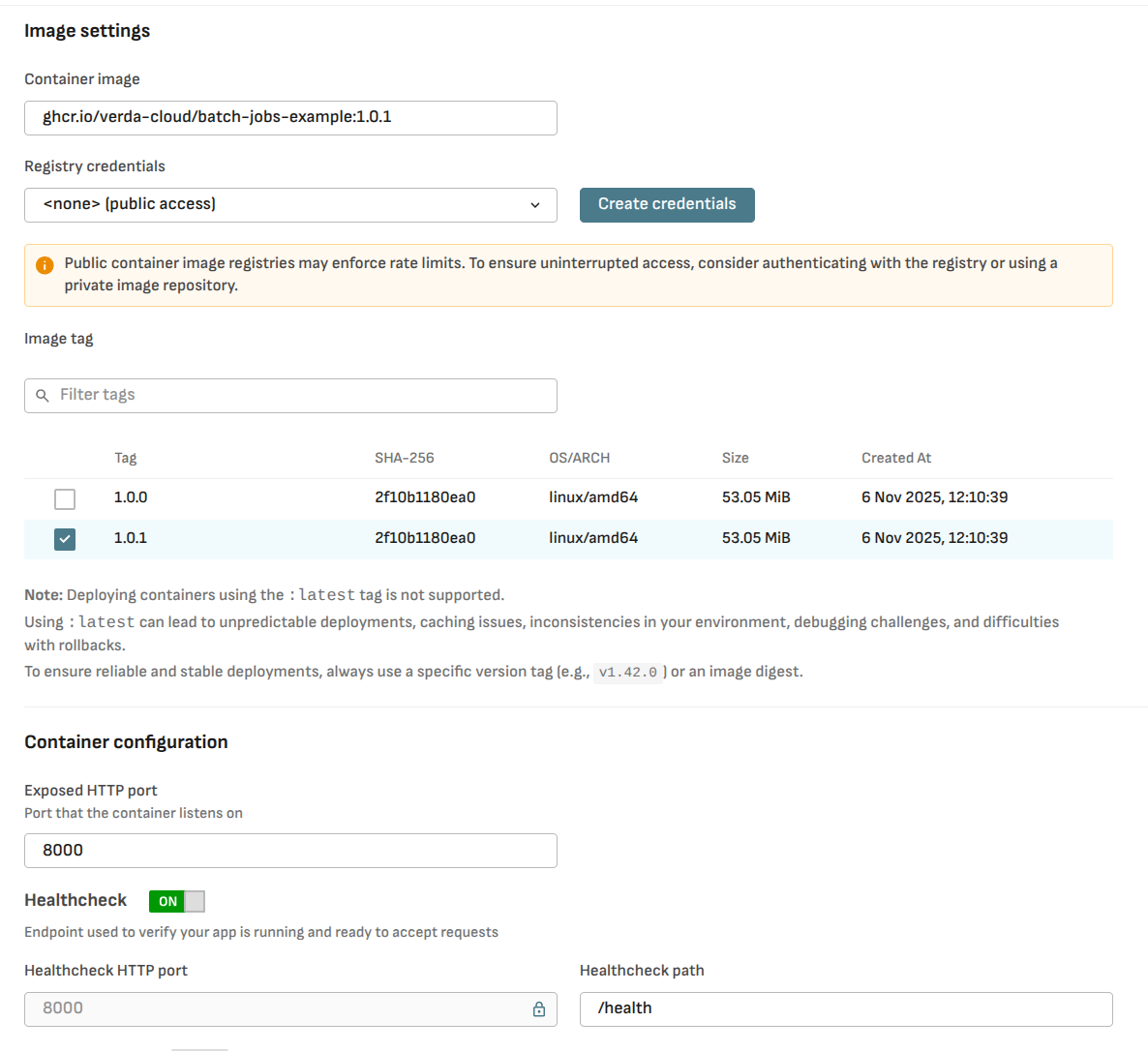
For the container image, we will use the [example app public docker image](https://github.com/orgs/verda-cloud/packages/container/package/batch-jobs-example) `ghcr.io/verda-cloud/batch-jobs-example:1.0.1`
Use exposed port 8000 and the default health check endpoint.
We can deploy it similarly to a continuous deployment, except for the following params:
* **Max concurrent jobs**: maximum number of replicas, will scale to 0 when there are no jobs in the queue.
* **Deadline**: maximum duration a replica will be up. Replica is killed when reaching the deadline.
Let's call the endpoint to trigger a job with a duration of 10 seconds:
[The call is `async` by default](https://docs.verda.com/containers/synchronous-and-asynchronous-inference), the response contains the job `id`, a status path to check the job status, and a result path to get the job response if you set one.
```
curl -X POST "https://tasks.datacrunch.io//job?duration=10" \
# Response:
{
"Id": "632c1e18-85e6-4567-ac15-f04749a51b9e",
"StatusPath": "/status/",
"ResultPath": "/result/"
}
```
{% hint style="info" %}
tip: to set a custom job id use the header `X-Inference-Id: `
{% endhint %}
Check the job status:
```
curl -X GET \
--location 'https://tasks.datacrunch.io/status/' \
--header 'X-Inference-Id: 632c1e18-85e6-4567-ac15-f04749a51b9e' \
--header 'Authorization: Bearer '
# Response:
{
"Id": "632c1e18-85e6-4567-ac15-f04749a51b9e",
"Status": "Queue"
}
```
Fetch the result when the job is finished:
```
curl -X GET \
--location 'https://tasks.datacrunch.io/result/' \
--header 'X-Inference-Id: 632c1e18-85e6-4567-ac15-f04749a51b9e' \
--header 'Authorization: Bearer '
# Response (our custom response defined in the example app, you may use your own):
{
"success": true,
"message": "Job completed successfully",
"executionTime": 5,
"timestamp": "2025-11-06 11:03:03"
}
```
## Best Practices
* Use this feature for long running jobs (\~over 3 minutes inference duration)
* Remember to exit the process when the job is done, either successful or failed
* The process exit code should be called **after** returning a response
* Use logging liberally with appropriate log levels—DEBUG during development, and INFO/WARNING in production
## Troubleshooting
* The replica keeps running after the job was done
* Make sure to exit the process, and use the correct exit status code
* Unhandled exceptions may cause the app to return an HTTP error status but keep the app running
* The replica was killed before the job was done
* Make sure the `Deadline` duration value is lower than the estimated job duration
* No response is returned
* Make sure the process is not killed before returning the response
e.g. for python's FastAPI use `BackgroundTasks` or javascript's `setImmediate` to exit the process after sending the response
* The replica isn't accepting jobs
* Make sure a `GET /health` endpoint is implemented